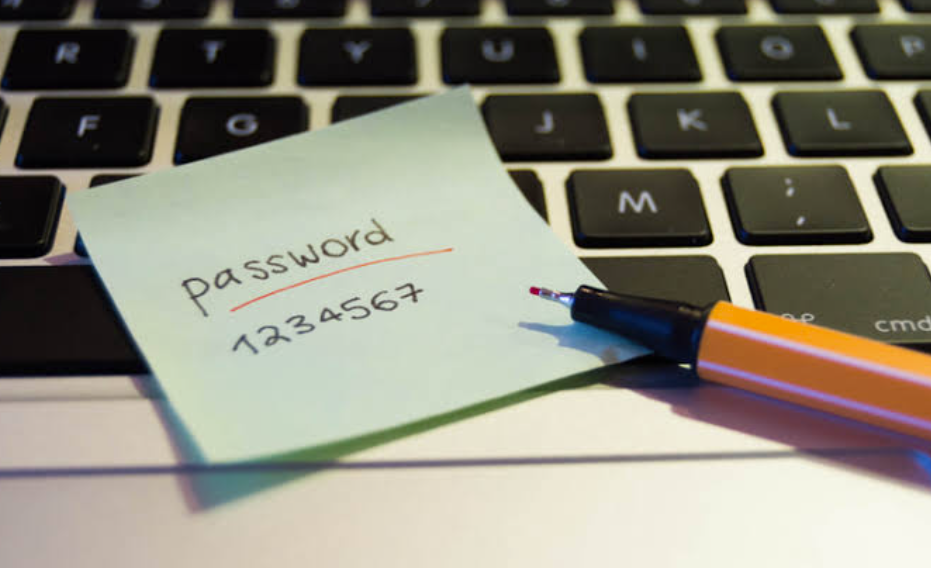
In 2019, a small business owner in Ohio woke up to find her entire life savings — roughly $34,000 — gone. Her bank account had been drained overnight. The culprit wasn’t sophisticated malware. It wasn’t a state-sponsored hacker. It was a password she’d been using since 2011: her dog’s name, a birthday, and an exclamation point. That same password lived on a retail site that had quietly suffered a breach two years earlier. Attackers simply tried it everywhere until something opened. If she had used a free password generator to create a unique credential for her bank, the story ends differently. This is happening to real people, right now, at industrial scale — and most of them never see it coming.
Credential stuffing attacks — where stolen username-password pairs from one breach are systematically tested against hundreds of other sites — have become one of the most efficient crimes on the internet. The FBI’s Internet Crime Complaint Center recorded over $10.3 billion in cybercrime losses in 2022 alone. Akamai, which tracks web traffic at a global scale, reported nearly 24 billion credential stuffing attempts in a single year. These aren’t brute-force guessing games. They’re automated, targeted, and ruthlessly efficient. And they work because people reuse passwords.
Why Human Brains Make Terrible Password Machines
Here’s the uncomfortable truth: humans are wired to be bad at this. We create passwords we can remember. That means we anchor to familiar words, meaningful dates, predictable substitutions. “P@ssw0rd” feels clever. It isn’t. Dictionary-based attacks account for these substitutions as a matter of course. Security researchers at Carnegie Mellon found that the vast majority of supposedly complex passwords — with capital letters, numbers, symbols — still cluster around recognizable patterns. We swap “a” for “@” and “o” for “0” and call it done. Attackers figured that out a long time ago.
The length problem is just as bad. A six-character password, even a random one, can be cracked in seconds with modern hardware. An eight-character password using common substitutions takes minutes. The math gets brutal fast. Human memory has a ceiling, and that ceiling sits well below the threshold where passwords actually become hard to crack. We know this. Studies from the National Institute of Standards and Technology (NIST) have been saying it for years. The gap between knowing and doing is where the damage happens.
Reuse makes everything worse. According to Google’s own security research, roughly 65% of people use the same password across multiple accounts. That means one breached site becomes a skeleton key. When a mid-size e-commerce platform gets hit — and thousands do every year — the damage doesn’t stay contained. It spreads sideways across banking apps, email accounts, healthcare portals. Every shared password is a door left unlocked on a different building.
See also: The Mechanics of Technological Innovation
The Credential Stuffing Pipeline Is Fully Automated
This is worth slowing down on. Attackers aren’t sitting at keyboards typing in guesses. They’re running scripts against login pages using lists of billions of previously leaked credentials. These lists are traded and sold on dark web forums for almost nothing. A 2021 analysis by SpyCloud found over 1.7 billion username-password combinations circulating in criminal markets from a single year’s worth of breaches. The infrastructure to test them costs pennies per attempt through cloud computing.
The attack is passive from the criminal’s perspective. Set it running, come back later, collect the accounts that opened. Financial platforms, crypto exchanges, retirement account portals — these are the high-value targets. But email accounts are often the first domino. Control someone’s inbox, and you can trigger password resets everywhere else. The attack surface is the entire interconnected web of accounts a person holds, and the entry point is almost always the weakest credential in the chain.
Small and mid-size businesses face the same exposure as individuals. An employee reusing a personal password on a corporate system creates a vector that bypasses every firewall and enterprise security tool a company deploys. The Verizon Data Breach Investigations Report consistently finds that compromised credentials are involved in a large share of breaches year after year. This isn’t an edge case. It’s the dominant attack pattern.
The Fix Is Simpler Than the Problem Looks
There’s a frustrating asymmetry here. The attacks are automated, scalable, and cheap. The defense is also straightforward and cheap. It just requires building a different habit. Every account needs a unique password. That password needs to be long enough, random enough, and complex enough that it can’t be guessed or looked up in a leaked database. Meeting all three criteria manually, for every account you hold, is genuinely unrealistic. Most people have dozens of accounts. Some have hundreds.
The easiest way to get started is with a strong password generator that handles the randomization for you. Tools like StrongPasswordGenerator.org do all the heavy lifting on the browser side, with no account required, no data transmitted, and no record kept. You configure the parameters — length, character types, whether to exclude similar-looking characters like “I” and “l” and “1” — and the tool produces a credential you could never have invented yourself and an attacker could never guess.
The mechanics matter here. This isn’t pseudo-random generation. It uses cryptographic randomization, which means the output has no predictable pattern even under scrutiny. There’s no dictionary anchor, no substitution shortcut, no recognizable structure. To an attacker’s tools, it’s just noise. Long, structurally dense, high-entropy noise.
QR Codes Solve the Friction Problem Nobody Talks About
Here’s where a lot of password security advice falls apart in practice. Generating a strong password on your desktop computer is only useful if you can actually get it onto your phone without creating a new exposure. Most people solve this by texting it to themselves, emailing it, or saving it in a note. Every one of those methods creates a record somewhere — in a message thread, in an email archive, in a cloud-synced notes app. That’s a new attack surface.
The QR code export feature in StrongPasswordGenerator.org handles this cleanly. The generated password gets encoded into a QR code displayed on screen. You scan it with your phone’s camera. The password transfers directly, point to point, offline. Nothing travels over a network. Nothing gets logged. There’s no interception window. You paste it into the app login field and move on. It’s a genuinely elegant solution to a problem that most password tools pretend doesn’t exist.
This matters most for high-value accounts. Banking apps. Crypto wallets. Healthcare portals. These are exactly the accounts where you want zero transmission risk. The QR transfer workflow eliminates that risk entirely.
Client-Side Generation Isn’t a Marketing Claim — It’s Verifiable
Security-conscious users are right to be skeptical of “online” generators. The concern is obvious: if you’re generating a password in a browser, is that password being sent back to a server somewhere? A tool that logs generated passwords would be a catastrophic privacy failure masquerading as a security feature.
Client-side generation addresses this directly. Everything happens inside your browser, using your device’s local processing. The password is assembled there, displayed there, and never transmitted anywhere. No request goes out. No server receives it. No log entry exists. For users who want to verify this, browser developer tools make it auditable. Open the network tab, generate a password, and watch for outbound requests. You won’t see any. That’s not a policy claim — it’s an architectural fact you can confirm yourself.
This distinction matters enormously for anyone generating credentials for sensitive systems. Enterprise IT administrators, security professionals, anyone managing privileged access — client-side generation is the baseline requirement. Everything else introduces risk that simply doesn’t need to exist.
One Tool Isn’t Enough: Build the Full Habit Loop
Generating strong passwords is the first step. It shouldn’t be the last one. A complete security posture requires knowing whether your existing passwords are actually strong, and whether your email address has already appeared in a known data breach.
StrongPasswordGenerator.org includes a Password Strength Checker for exactly this purpose. Paste in any existing credential and get an honest assessment of its entropy and structural weaknesses. Use it during periodic audits of older accounts — the ones you set up years ago and never revisited. You’ll find things that need changing.
The Email Hack Checker cross-references your address against known breach databases. This is how you find out whether a site you trusted years ago quietly leaked your credentials without telling you. Many breaches aren’t disclosed for months or longer. By the time a notification arrives — if it arrives at all — the window for damage has been open for a long time. Proactive checking closes that window faster.
The habit loop is simple and takes under five minutes to run. Generate unique passwords for every new account. Check the strength of existing ones on a quarterly basis. Verify your email against breach databases on the same schedule. Stack multi-factor authentication on top of strong passwords wherever a platform offers it. That combination doesn’t make you invulnerable. But it removes the low-hanging fruit that automated attacks depend on entirely.
The Ohio business owner from the opening of this piece eventually recovered some of her money through her bank’s fraud process. It took eight months, three legal consultations, and more stress than anyone should absorb from a problem that was entirely preventable. The attack that hit her was not sophisticated. It was opportunistic. It succeeded because one password lived in too many places. That’s still true for most people reading this right now. The fix is available, it’s free, and it takes about thirty seconds to use.